Helpdesk
Starting/stopping a charging session without a charge card
At MobilityPlus, we facilitate the use of classic payment methods (Visa, Mastercard, Bancontact,...) for Alfen Pro charging stations via a dynamic QR code on the display.
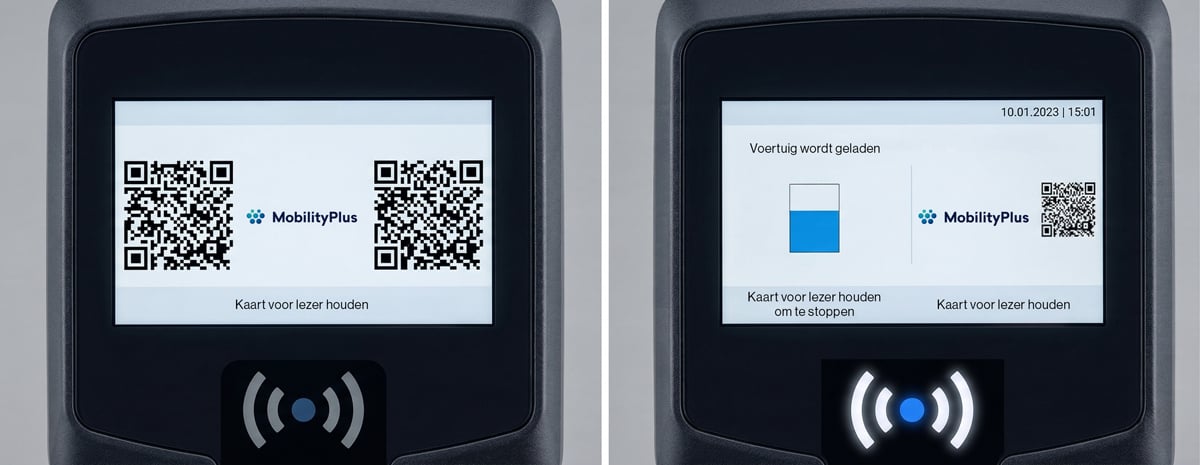
Operation
Scanning the QR code opens the secure web page below.
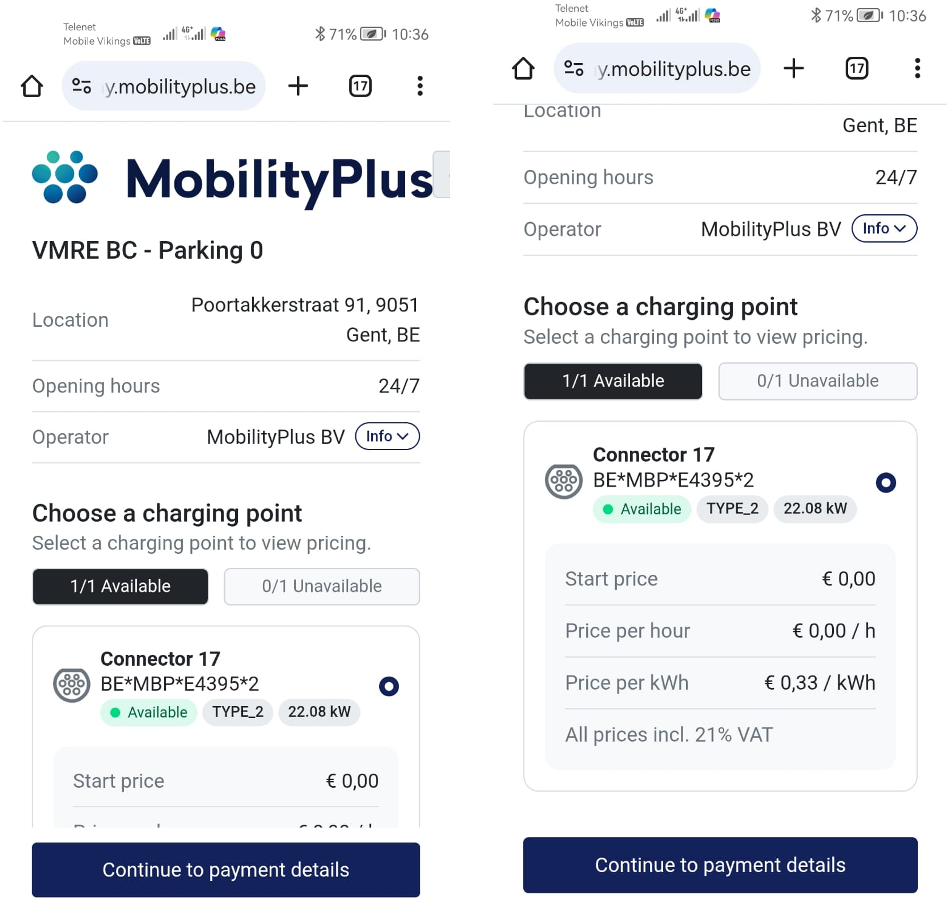
The location, connector and charging rates (which, incidentally, are also visible on the charging station display) are displayed.
Then tap Continue to payment details at the bottom of the screen and the following screen opens.
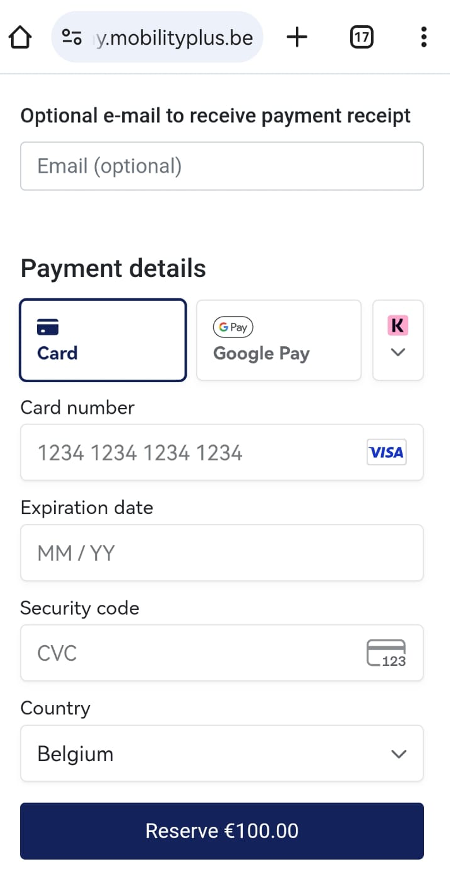
Fill out an email address in this step to also receive the payment receipt by email.
Fill out the payment card details (BC/MC, Mastercard, Visa,...) and tap Reserve €100,00.
A provision of 100 € will be reserved.
The data are validated and the charging session starts.
If the charging cable was not yet connected, the following screen opens.
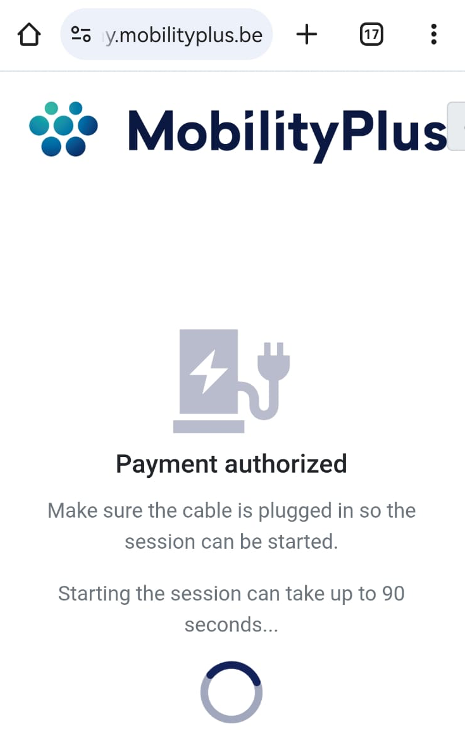 You have 90 seconds to connect the charging cable to start the charging session.
Once the charging session is started, the following screen is displayed
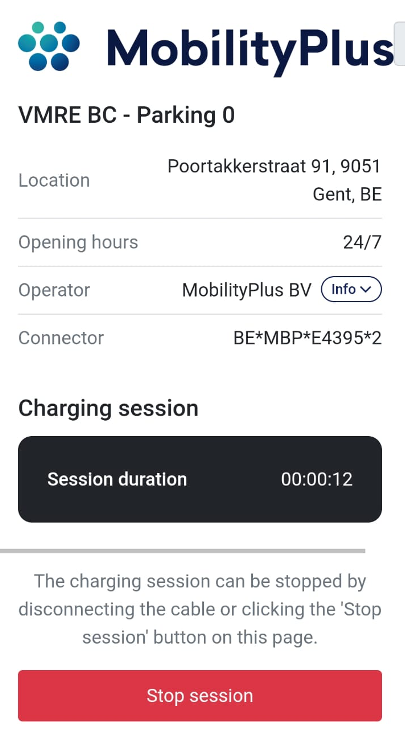
To stop the charging session afterwards, tap Stop session or remove the charging cable from the car and the charging station.
From the moment the charging session ends, the total cost of the charging session is displayed.
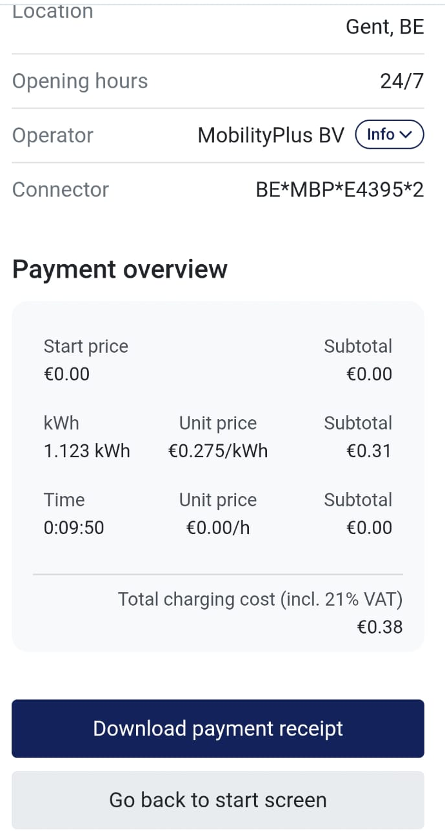
Tap Download payment receipt to download the payment receipt in *.pdf.